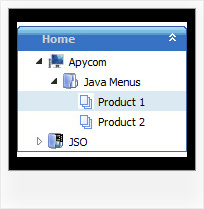
Recent Questions Javascript Folder Tree Onmouseover
Q: I am looking at purchasing the Drop Down Menu Program. I cannot find any examples of other sites that may be using your product.
And each link that I click on for help gives me code to use on the page. Does this mean that I need to know JavaScript to use this program effectively? How recent is the newest version of your program?
Please advise if there is a support forum, also.
A: I advise you to try our new Javascript menu -- JavaScript Tree Menu, http://deluxe-menu.com.
This is a newer version of DHTML Menu. It works better.
I can send you some links to the websites with JavaScript Tree Menu.
http://www.iibatoronto.org/index_2007_menus2.htm
http://www.eembc.org/
> Does this mean that I need to know JavaScript to use this
> program effectively?
No, there is no need in deep knowledge of javascript to use the menu.
You can use Deluxe Tuner application to create your menus easily.
We release the new version of the menu about two times a year.
Q: I have a website where the customer asks (requested popup) for a onclick popup window so they can listen in to a radio braodcast. i.e. popup on demand.
But, the popup needs to keep working so the user can move to another website without dropping the broadcast. In otherwords If the popup is dropped so is the broadcast. That is my issues. Help! Also, using a standard popup windows doesn't always work Cross browsers and IE works ok but Firefox still allows the user to resize the windows even if you tell it not to.
A: No, it is not possible to leave the onclick popup window after you close thepage with popup.
Q: You will see I got the first level looking amazing.. this is exactly what I wanted. The interesting thing I figured out was not to use the item border.. this was messing things up. You may notice that when each item highlights.. there is a 1px white line at the separators.. but this is not produced with the item border, but rather from the separator itself which I made in two 1 pixel lines, one blue, on white.. this created that effect.
So now my only problem left is to figure out how to bring this look into the submenus. I was thinking it would be nice to use the separators in the same way throughout the submenus. There does not however seem to be a way to do this. When I tried inserting a separator into a submenu.. nothing happened... I am probably doing this wrong.
Can you please show me how to create the same look I have in the first level in the submenus.. this would be helpful.
I must say, this menu is finally starting to look the way I originally envisioned it. I am very happy. =o)
Thank you so much for all the help you have given me.
A: To add separators in submenus you should write it so:
["|-",] //first level submenus
["||-",] //second level submenus
and so on.
Try that.
Q: Two questions. First I get a "Error! Skin Load!" popup when my onmouseover popup window loads.
I see references to "skin.js". Is this supposed to be generated?
Secondly.
I am being really dense. I would like to use Deluxe Popup Windows in response to a mouse click on a picture. So far with deluxe Menu, I just put a statement like this:
<script type="text/javascript" src="rvmonitor.js"></script>
where I wanted the menu to show up. The web page loads and the JavaScript Tree Menu displays.
I have managed to make the onmouseover popup window appear by using that code, the web page loads and the popup loads (with the skin error).
I know how to get a larger picture from a smaller one like this:
<a href="../images/Tige/CabinetMod/Tige_CabinetMod04.JPG">
<img class="border0" src="../images/Tige/CabinetMod/Tige_CabinetMod04_small.JPG" alt="Gasketmount">></a>
I just don't know how to put the rvmonitor.js into the <a href...></a> function. Could I have a simple example?
A: See, to install Deluxe Popup Window you should call two .js files onyour page:
<head>
...
<script type="text/javascript" src="deluxe-popup-window.files/dpopupwindow.js"></script> //engine file
</head>
<body>
...
<script type="text/javascript" src="deluxe-popup-window.js"></script> //data file
...
</body>
Copy deluxe-popup-window.files folder and deluxe-popup-window.js fileinto the same folder with your html page.
To open your window on mouse click you should do the following things:
<a title="Click to open the window" href="javascript:;"onclick="deluxePopupWindow.open('win', '<img class=\'border0\'src=\'../images/Tige/CabinetMod/Tige_CabinetMod04.JPG\' alt=\'Gasketmount\'>', 'Full Image', 'width=180,height=270,resizable,scrollbars=no,middle,right,fade-effect', 'windowsvista_graphite')"><imgmount\'>class="border0" src="../images/Tige/CabinetMod/Tige_CabinetMod04_small.JPG" alt="Gasket mount"></a>.