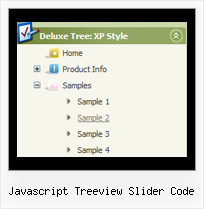
Recent Questions Javascript Treeview Slider Code
Q: If I don't set var tabMode=1 instead of var tabMode=0 in drop menu maker the links will not work at all.
A: See in Deluxe Tabs there are two modes:
1. var tabMode=0;
You can create only one level of tabs and assign Object Id's of theDIV's to show when you click on the tab.
["XP Tab 1","content1", "", "", "", "", "", "", "", ],
["XP Tab 2","content2", "", "", "", "", "", "", "", ],
["XP Tab 3","content3", "", "", "", "", "", "", "", ],
["XP Tab 4","content4", "", "", "", "", "", "", "", ],
2. var tabMode=1;
You can assign only links in this mode.
You should create top level items with subitems.
["XP Tab 1","", "", "", "", "", "", "", "", ],
["|Link 1_1","http://deluxe-tabs.com", "", "", "", "", "0", "", "", ],
["|Link 1_2","testlink.htm", "", "", "", "", "0", "", "", ],
["|Link 1_3","testlink.htm", "", "", "", "", "0", "", "", ],
["|Link 1_4","testlink.htm", "", "", "", "", "0", "", "", ],
["|Link 1_5","testlink.htm", "", "", "", "", "0", "", "", ],
["XP Tab 2","", "", "", "", "", "", "", "", ],
["|Link 2_1","testlink.htm", "", "", "", "", "0", "", "", ],
["|Link 2_2","testlink.htm", "", "", "", "", "0", "", "", ],
["|Link 2_3","testlink.htm", "", "", "", "", "0", "", "", ],
["|Link 2_4","testlink.htm", "", "", "", "", "0", "", "", ],
["|Link 2_5","testlink.htm", "", "", "", "", "0", "", "", ],
["XP Tab 3","", "", "", "", "", "", "", "", ],
["|Link 3_1","testlink.htm", "", "", "", "", "0", "", "", ],
["|Link 3_2","testlink.htm", "", "", "", "", "0", "", "", ],
["|Link 3_3","testlink.htm", "", "", "", "", "0", "", "", ],
["|Link 3_4","testlink.htm", "", "", "", "", "0", "", "", ],
["|Link 3_5","testlink.htm", "", "", "", "", "0", "", "", ],
You can use Object ID as well as Link in both modes. Use the following prefixes within item's link field:
"object:" - means that there is object id after it;
"link:" - means that there is a link after it.
"javascript:" - means that there is a javascript code after it, for example:javascript:alert(\'Hello!\')
So, you should write for example:
["|Link 1_1","object:Content1_1", "", "", "", "", "0", "", "", ],
Q: I have recently downloaded your menu, I love, and am definitely going to purchase it, however i do have a question, I made my site with dreamweaver mx, and it is designed in a series of tables, the main table is 3 column and on row, stretched at 100% width and length, the other tables are nested inside the middle column, I am trying to get the menu in the left column to float, I have read some of the other post in the support section, and I was wondering if their could be any <div> anywhere on the page or just before and after the menu script code?
here is the way my code is before and after the script code
<td width="17%" align="left" valign="top" background="images/LPback.png">
<script type="text/javascript" src="data.js"></script>
</td>
this defines the column in which I want the menu to be,
here is my code for the floatable menu
//--- Positioning
var tabsolute=1;
var tleft="0px";
var ttop="205px";
//--- Floatable Menu
var tfloatable=1;
var tfloatIterations=10;
var tfloatableX=1;
var tfloatableY=1;
A: You should add the following parameter:
<script type="text/javascript"> var tWorkPath="data.files/";</script>
See more info about installation here:
http://deluxe-tree.com/installation-info.html
You should also add dtree_add.js file in the "data.files/" folder.
Q: Microsoft Explorer has settings that block JAVA scripts (and therefore our JAVA menu).
However, I notice that some JAVA menus on other web sites are not blocked by Microsoft Explorer.
Is there any way to make the java cascading menu not be blocked by Microsoft Explorer ?
I want people visiting my web site not to have the java cascading menu blocked by Mircrosot Explorer.
A: There is no way to enable these preferences automatically, in othercase there are no reasons to create security preferences.
But you can try to use a workaround:http://www.adobe.com/devnet/activecontent/articles/devletter.htmlTry to use AC_RunActiveContent.js file to run active content.
Q: I really like how this works and I think it will wind up working for us, but I have a question. On the xp style dynamic tree menu, is there a way when you click one of the 'headers' that will open up other choices for example on your http://www.deluxe-tree.com/data-samples/tree-menuxp3.html tree. When youclick either the deluxe tree:xp style or the samples gallery or the samples gallery2 section, can you make it so it opens a page in another frame? The way it is now you it wont open a page until you click on the 'samples block 1' or below.
A: Actually you cannot use links for the top items in the XP Style.
But theoretically you can use links for the top items. You can write
["<a href='index.html' class='home' target="frame">Home</a>","", "", "", "", "Return to Index page", "", "0", "", ],
["<a href='http://www.domain.uk' class='home' target="frame">About Us</a>","", "", "", "", "", "", "0", "", ],
["|Introduction","http://www.domain.uk/introduction.htm", "", "", "", "", "", "", "", ],