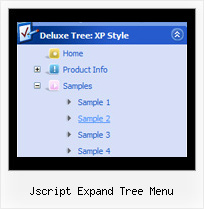
Recent Questions Jscript Expand Tree Menu
Q: I have been testing.
I have another question,
during our test we did few test with other software, and we have the posibility while we are under an option on the menu we right click and choose open in a new window.
We cant find the way to do this or is not posible?
A: You can paste your own objects within menu items to capture a rightclick, for example:
["<div style='width:100%;height:30px' onContextMenu='your_code'>text</div>",...]
Q: I need to load a tab page and have the correct javascript menu rollover tab showing based on a variable that is available when the page loads. How do I get the tab to change to a different tab then the one defined in the configuration file?
Example
bmenuItem = 0; /* this is the default */
When my page reloads I want bmenuItem = someVariable;
How do I do this?
A: Deluxe Tabs doesn't support API functions which can return theselected javascript menu rollover tab.
You can set "bselectedItem" and " var bselectedSmItem" parametersbased on your link before you call your data file.
For example, move " var bselectedItem" and " var bselectedSmItem" parametersfrom your data file to your code.
<TD vAlign=top align=left>
/* Select Tab */
<script type="text/javascript" language="JavaScript1.2">
var bselectedItem=<?php echo $seltabs; ?>;
var bselectedSmItem=<?php echo $selsmtabs; ?>;
</script>
<SCRIPT src="data.js" type=text/javascript></SCRIPT>
</TD>
You should define seltabs and selsmtabs using server side script.
You can also set it on every page before you call data.js file, forexample:
<TD vAlign=top align=left>
/* Select Tab */
<script type="text/javascript" language="JavaScript1.2">
var bselectedItem=4;
var bselectedSmItem=3;
</script>
<SCRIPT src="data.js" type=text/javascript></SCRIPT>
</TD>
Q: I've looked through the FAQ's till my eyes burned... I know how to collapse/expand all on page load, but can't find an answer to this specific question
I am using tsaveState=1 and tcloseExpanded=1 and that works great when navigating the javascript vertical tree menu. But I'd like to be able to tell the javascript vertical tree menu to collapse all the way on the initial page load, without resetting those first two variables.
for instance;
a user logs on, goes to the order page, uses the menu to navigate and place an order. After the order is processed through a php verification page, the user is directed back to the order page via the php header() function, with the menu still intact, and the values of the order updated.
But once the user navigates away from the order page, and then returns to complete another order, I'd like the menu items to all be collapsed.
If that's not an inherent design of your menu program, is there a variable that I can pass with the initial load that will cause a full collapse?
A: No, unfortunately there is no such parameter in Javascript/DHTML Tree.
But you can try to delete
var tsaveState=1;
parameter from your data file and add it on your html page directly.
So, on your initial page you can set:
var tsaveState=0;
and on other pages you should set:
var tsaveState=1;
Q: We have a menu in its own dedicated table row on our website and the table row contains a background image. We want to know if we can make the background on your menu transparent so that you can see our table cell background through the menu.
We have tried using your option to put our image as your menu’s background, but then it repeats for all of the drop downs which we do not want.
We simply want the row of options to be transparent and all of the drop downs to be white.
Is this possible with your system and, if so, how would we go about making this work?
A: You can try to use these parameters:
var menuBackColor="transparent";
var itemBackColor=["transparent","#1665CB"];
Or, you can use Individual Item Styles and set images only for the main items.
Try that.