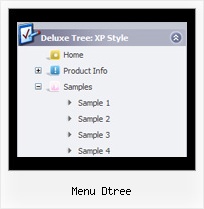
Recent Questions Menu Dtree
Q: I had just purchased tree menu license. I found that the tree menu is not float when position is set to absolute.
Is it possible to make the position relative and set the floating tree?
A: Tree menu will float with absolute position only:
var tabsolute=1;
Q: Can you please give me tips on how I can style all menuitems to have font bold when selected and normal font when not selected?
A: Unfortunately, Javascript/DHTML Tree doesn't have such a feature. You can onlyset it's color. You cannot set the font of menu item bold when selected.
You can set menu item's font bold onMouseover, see example here:
http://deluxe-tree.com/data-templates/vista-style-7-template-sample.html
You should addthe following code in your data file:
function changeFont(obj, over)
{
obj.style.fontWeight = over ? 'bold' : 'normal';
obj.style.fontSize = over ? '13px' : '12px'; // You can not use this line
}
var tmenuItems = [
["<div onMouseOver='changeFont(this, 1)' onMouseOut='changeFont(this, 0)'>Security</div>","", "", "", "", "", "", "", "", ],
["<div onMouseOver='changeFont(this, 1)' onMouseOut='changeFont(this, 0)'>Ease of Access</div>","", "", "", "", "", "", "", "", ],
["|<div onMouseOver='changeFont(this, 1)' onMouseOut='changeFont(this, 0)'>Internet Options</div>","", "", "", "", "", "", "", "", ],
["|<div onMouseOver='changeFont(this, 1)' onMouseOut='changeFont(this, 0)'>Windows Firewall</div>","", "", "", "", "", "", "", "", ],
["<div onMouseOver='changeFont(this, 1)' onMouseOut='changeFont(this, 0)'>Network and Internet</div>","", "", "", "", "", "", "", "", ],
["<div onMouseOver='changeFont(this, 1)' onMouseOut='changeFont(this, 0)'>Hardware</div>","", "", "", "", "", "", "", "", ],
["<div onMouseOver='changeFont(this, 1)' onMouseOut='changeFont(this, 0)'>Programs</div>","", "", "", "", "", "", "", "", ],
["<div onMouseOver='changeFont(this, 1)' onMouseOut='changeFont(this, 0)'>Appearance</div>","", "", "", "", "", "", "", "", ],
["|<div onMouseOver='changeFont(this, 1)' onMouseOut='changeFont(this, 0)'>User Accounts</div>","", "", "", "", "", "", "", "", ],
["|<div onMouseOver='changeFont(this, 1)' onMouseOut='changeFont(this, 0)'>Personalization</div>","", "", "", "", "", "", "", "", ],
["<div onMouseOver='changeFont(this, 1)' onMouseOut='changeFont(this, 0)'>Sound and Speech</div>","", "", "", "", "", "", "", "", ],
["<div onMouseOver='changeFont(this, 1)' onMouseOut='changeFont(this, 0)'>Additional Options</div>","", "", "", "", "", "", "", "", ],
];
Please, notice also that you should add this function every time whenyou change your menu in Deluxe Tuner application, as Tuner deletesthis function.
Q: I need to execute some javascript first when someone clicks on the tab in the floating tabs.
A: You should paste "javascript:some_function()" into item's link field, for example:
["tab text","javascript: window.open('test.html', 'frameName')", ...],
or
["tab text","javascript: getURLForFrame()", ...],
Q: Hi, My name is Carolina Espino working for JAZZPLAT SA (Argentine) and we are interested in buying your product Deluxe menu & tree & tabs & popup windows & calendar Multiple Website License, price $149.95
We would like to know if you will be able to provide us with an invoice once we buy the menu bar in javascript?
A: We do not accept payments directlyand use ShareIt (Germany) service to process orders.
ShareIt will accept your order and provide you with a linkto a formal invoice, along with payment instructions. Thiswill be provided on-screen as well as by email. Please printthe invoice and submit it to your company's Accounts Payablefor payment.
If you need more info, please, contact with share-it.