Recent Questions Mvc Recursive Tree View
Q: There is one other issue I am hoping you can help with? When the dhtml web menu drops down in Safari over a SWF -- it disappears. I have added the function dm_ext_ruleObjectHide() code to the top of my data file. Can you please advise what else I can try?
A: Submenu couldn't overlap flash in Safari correctly.
And the following code:
// Safari detect
if ((parseInt(navigator.productSub)>=20020000) &&(navigator.vendor.indexOf('Apple Computer') != -1) &&(navigator.product=='Gecko'))
return true;
in function
function dm_ext_ruleObjectHide()
{
// Safari detect
if ((parseInt(navigator.productSub)>=20020000) &&(navigator.vendor.indexOf('Apple Computer') != -1) &&(navigator.product=='Gecko'))
return true;
else
return false;
}
cause flash to disappear in Safari.
You can try to write this function in the following way:
function dm_ext_ruleObjectHide()
{
return false;
}
Q: Can I request something for your next version please.....individual javascript list menu border colours, I think it would then be possible to create a dropped shadow effect perhaps :)
A: You can use different colors for each border side now.
For example:
var menuBorderColor="#C0AF62 #4949E0 #000000 #B31E1E";top right bottom left
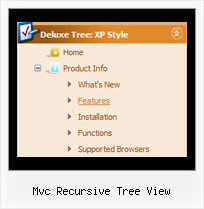
Q: I am using XP style tree menu and would like to have top level menu item with no submenu items. However, the right double arrow icon still show up. Is there a way to hide it for the item without submenu items in css javascript tree menu?
See the attached document, I want to remove the double arrow icon at right for "Mission Statement", "History", "Direction" and "Contact Us".
Any help will be appreciated.
A: You can create Individual XP Style and use it for items with submenus:
var tXPExpandBtn=["left.files/blank-arrow.gif","left.files/blank-arrow.gif","left.files/blank-arrow.gif","left.files/blank-arrow.gif"];
var tXPStyles = [
["tXPExpandBtn=left.files/menu-arrow.gif,left.files/menu-arrow.gif,left.files/menu-arrow01.gif,left.files/menu-arrow01.gif"],
];
and assign this style for all top items with submenus:
["Home","", "", "", "", "", "", "0", "", "", ],
["+Company Profile","", "", "", "", "", "", "0", "0", "", ], //style 0
["|Item 25","", "", "", "", "", "", "1", "", "", ],
["|Item 26","", "", "", "", "", "", "1", "", "", ],
["+Projects","", "", "", "", "", "", "0", "0", "", ], //style 0
["|Item 27","", "", "", "", "", "", "1", "", "", ],
["|Item 28","", "", "", "", "", "", "1", "", "", ],Q: There does not appear to be any information how to display the content of a selected tab for the tab menu
A: If you want to see the content below your tab menu:
you should paste your content in the <div> .. </div> tags.
<div id="content1" style=" visibility: hidden;" class="tabPage">
<p align=center><img src="img/logo_DM.gif" width=262 height=56 alt="Deluxe-Menu.com"></p>
</div>
<div id="content2" style="visibility: hidden;" class="tabPage">
<p align=center><img src="img/logo_DT.gif" width=262 height=56 alt="Deluxe-Tree.com"></p>
</div>
<div id="content3" style=" visibility: hidden;" class="tabPage">
<p align=center><img src="img/logo_DTabs.gif" width=254 height=58 alt="Deluxe-Tabs.com"></p>
</div>
See in Deluxe Tabs there are two modes:
1. var tabMode=0;
You can create only one level of tabs and assign Object Id's of theDIV's to show when you click on the tab.
["XP Tab 1","content1", "", "", "", "", "", "", "", ],
["XP Tab 2","content2", "", "", "", "", "", "", "", ],
["XP Tab 3","content3", "", "", "", "", "", "", "", ],
["XP Tab 4","content4", "", "", "", "", "", "", "", ],
2. var tabMode=1;
You can assign only links in this mode.
You should create top level items with subitems.
["XP Tab 1","", "", "", "", "", "", "", "", ],
["|Link 1_1","http://deluxe-tabs.com", "", "", "", "", "0", "", "", ],
["|Link 1_2","testlink.htm", "", "", "", "", "0", "", "", ],
["|Link 1_3","testlink.htm", "", "", "", "", "0", "", "", ],
["|Link 1_4","testlink.htm", "", "", "", "", "0", "", "", ],
["|Link 1_5","testlink.htm", "", "", "", "", "0", "", "", ],
["XP Tab 2","", "", "", "", "", "", "", "", ],
["|Link 2_1","testlink.htm", "", "", "", "", "0", "", "", ],
["|Link 2_2","testlink.htm", "", "", "", "", "0", "", "", ],
["|Link 2_3","testlink.htm", "", "", "", "", "0", "", "", ],
["|Link 2_4","testlink.htm", "", "", "", "", "0", "", "", ],
["|Link 2_5","testlink.htm", "", "", "", "", "0", "", "", ],
["XP Tab 3","", "", "", "", "", "", "", "", ],
["|Link 3_1","testlink.htm", "", "", "", "", "0", "", "", ],
["|Link 3_2","testlink.htm", "", "", "", "", "0", "", "", ],
["|Link 3_3","testlink.htm", "", "", "", "", "0", "", "", ],
["|Link 3_4","testlink.htm", "", "", "", "", "0", "", "", ],
["|Link 3_5","testlink.htm", "", "", "", "", "0", "", "", ],
You can use Object ID as well as Link in both modes. Use the following prefixes within item's link field:
"object:" - means that there is object id after it;
"link:" - means that there is a link after it.
"javascript:" - means that there is a javascript code after it, for example:javascript:alert(\'Hello!\')
So, you should write for example:
["|Link 1_1","object:Content1_1", "", "", "", "", "0", "", "", ],