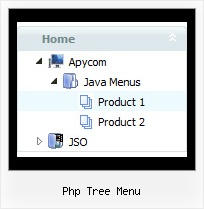
Recent Questions Php Tree Menu
Q: I am very interested in using your deluxe menu products for my new website design, particularly the Tree Menu. I've been looking at the javascript tree source and am a bit worried that the links used will not be recognised by Search Engine robots - do you have any information regarding implementation of your menus so that the links are fully visible to search engines ?
A: You can generate search engine friendly code.
Javascript/DHTML Tree is a search engine friendly menu since v2.4.
To create a search engine friendly menu you should add additional html code within your html page:
<div id="dmlinks">
<a href="http://deluxe-menu.com">menu_item_text1</a>
<a href="http://deluxe-tree.com">menu_item_text2</a>
...etc.
</div>
To generate such a code use Deluxe Tuner application.
You can find this GUI in the trial package.
Run Tuner, load your menu and click Tools/Generate SE-friendly Code (F3).
Q: And another question about displaying the links code in html.
How to create a drop down menu links to be displayed in the html code for search engines to catch them, is that possible?
A: You can use search engine friendly code and install it on yourpage before you call your data file.
You'll see text links in that case.
To create a search engine friendly menu you should add additional html code within your html page:
<div id="dmlinks">
<a href="http://deluxe-menu.com">menu_item_text1</a>
<a href="http://deluxe-tree.com">menu_item_text2</a>
...etc.
</div>
To generate such a code use Deluxe Tuner application.
Run Tuner, load your menu and click Tools/Generate SE-friendly Code (F3)
Q: Is it possible via code customization to remove the border only forthe top level of js dropdown menu?
A: You can use Individual Item Style in that case.
You should create Individual Style, for example:
var itemStyles = [
["itemBorderStyle=none,none"], // style 0
];
And assign it for top items:
var menuItems = [
["Home","testlink.html", "", "", "", "", "0", "", "", "", "", ], // assign style 0
["Product Info","", "", "", "", "", "0", "", "", "", "", ], // assign style 0
["|Features","testlink.html", "", "", "", "", "", "", "", "", "", ],
["|Installation","", "", "", "", "", "", "", "", "", "", ],
["|Supported Browsers","", "", "", "", "", "", "", "", "", "", ],
["||Windows OS","", "", "", "", "", "", "", "", "", "", ],
["||Internet Explorer","", "", "", "", "", "", "", "", "", "", ],
["||Firefox","", "", "", "", "", "", "", "", "", "", ],
["Samples","", "", "", "", "", "0", "", "", "", "", ], // assign style 0
["|Sample 1","testlink.html", "", "", "", "", "", "", "", "", "", ],
["|Sample 2 is Disabled","testlink.html", "", "", "", "_", "", "", "", "", "", ],
["Contact Us","testlink.htm", "", "", "", "", "0", "", "", "", "", ], // assign style 0
];
More info you'll find here:
http://deluxe-menu.com/individual-item-styles-info.html
Q: Hello I am testing your product JavaScript Tree Menu, and want to create a special tree-menu.
I have a question:
Is it possible to have two icons in front of each dhtml menu item?
I need two icons in front of each menu-item that will symbolize an alarm and a sabotage-alarm.
I want to use animated gifs on these so that I can visualize alarm and sabotage on each menu-item.
But I also need an icon on the right side of the menu to show if the menu-item is expanded or not.
I want the structure to be like this:
Icon | icon а| Main menuitem1а | expandedicon
Icon | icon | sub menuitem1 | expandedicon
Icon | icon | sub menuitem1.1 | expandedicon
Icon | icon | sub menuitem1.2 | expandedicon
Icon | icon | sub menuitem2 | expandedicon
Icon | icon а| Main menuitem2а | expandedicon
Is this possible to achieve with your menu?
A: Yes, it is possible.
Actually you can use any html code within menu items.
["|<img src='default.files/icon1_so.gif' style='margin-right: 10px'>Home","testlink.htm", "default.files/icon1_s.gif","default.files/icon1_so.gif", "", "Home Page Tip", "", "", "", ],