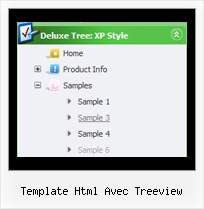
Recent Questions Template Html Avec Treeview
Q: I just don't understand the 'concept" of how It should be put into my html page.
I plan on having more than one menu on my page. and this would be an example of one of the drp down menus I want on it. I'm fairly new to making a webpage, but this menu is what I would like on my page.
sorry for being a little slow at this, I DO LOVE how it lays out and cant wait to get it to work on my webpage.
A: 1. Create your menu in Deluxe Tuner application.
You can create any menu as you like in Deluxe Tuner.
Deluxe Tuner v2.4 supports JavaScript Tree Menu (http://deluxe-menu.com) &Javascript/DHTML Tree (http://deluxe-tree.com) & Deluxe Tabs (http://deluxe-tabs.com)
You can use ready to use templates. You can find them in the templateswindow.
When you open Deluxe Tuner ( JavaScript Tree Menu ) you can click "File/New"and add items and subitems using buttons "Add Item" and "Add Subitem" onthe main window.
You should set items and subitems parameters on the "Item Parameters"window.
See also other parameters for the menu on the main window.
More info about menu parameters you can find on our site (you can alsouse local version of the site which you can find in the trial package"JavaScript Tree Menu / deluxe-menu.com /")
http://deluxe-menu.com/parameters-info.html
http://deluxe-menu.com/menu-items-info.html
You can also use Individual Styles for items and subitems
http://deluxe-menu.com/individual-item-styles-info.html
http://deluxe-menu.com/individual-submenu-styles-info.html
2. You should install the menu on your page.
You can click, for example, File/Export to HTML (you can't do it inthe MAC version).
Add several rows into your html page.
<head>
...
<!-- JavaScript Tree Menu -->
<noscript><a href="http://deluxe-menu.com">Javascript Menu by Deluxe-Menu.com</a></noscript>
<script type="text/javascript"> var dmWorkPath="deluxe-menu.files/";</script>
<script type="text/javascript" src="deluxe-menu.files/dmenu.js"></script>
...
</head>
<body>
...
<table>
<tr><td><script type="text/javascript" src="deluxe-menu.files/data.js"></script></td></tr> //data.js - data file created in Deluxe Tuner.
</table>
...
</body>
You should also copy all engine files
dmenu.js
dmenu4.js
dmenu_add.js
dmenu_dyn.js
dmenu_key.js
dmenu_cf.js
dmenu_popup.js
dmenu_ajax.js
into "deluxe-menu.files/" folder. You should place this folder in thesame folder with your index. html page.
If you want to install several menus on the one page you should writethe following code once
<!-- JavaScript Tree Menu -->
<noscript><a href="http://deluxe-menu.com">Javascript Menu by Deluxe-Menu.com</a></noscript>
<script type="text/javascript"> var dmWorkPath="deluxe-menu.files/";</script>
<script type="text/javascript" src="deluxe-menu.files/dmenu.js"></script>
And then call your data files several times.
<script type="text/javascript" src="deluxe-menu.files/data.js"></script>
<script type="text/javascript" src="deluxe-menu.files/data1.js"></script>
<script type="text/javascript" src="deluxe-menu.files/data2.js"></script>
<script type="text/javascript" src="deluxe-menu.files/data3.js"></script>
Try that.
Q: Is there a way to programmatical select an item in the scrolling menu without the user actual click on the item?
A: You can set a pressed item using Javascript API:
function dm_ext_setPressedItem (menuInd, submenuInd, itemInd, recursion)
Sets a current pressed item.
menuInd - index of a menu on a page, >= 0.
submenuInd - index of a submenu, >= 0.
itemInd - index of an item, >=0.
recursion = true/false - highlight parent items.
But notice, to use dm_ext_setPressedItem() you should know ID of selected item and subitem.
You can't get this ID after you reload your page. That is why you should write your own code on PHP.
Q: For some reason all of the menu items are squished together when I put the js code in my page.
Is my site's CSS overriding the ones set in the menu css? If so how do I get around this?
A: See, the problem is that the script can't get css properties of the object if they are described in separate .css block (or file).
To get the value you should move .css style into style="" attribute.
Please, try to add your
css file -> inline css
Q: I am new for this recently i downloaded this deluxe-menu trial version.
Can u please explain javascript expand menu (mene, table look like vista) creation and implement in html files, asp.net, php briefly.
A: 1. Create your menu in Deluxe Tuner.
When you open Deluxe Tuner you can click "File/New"
and add items and subitems using buttons "Add Item" and "Add Subitem" onthe main window.
You should set items and subitems parameters on the "Item Parameters"window.
See also other parameters for the menu on the main window.
More info about menu parameters you can find on our site
http://deluxe-menu.com/parameters-info.htmlhttp://deluxe-menu.com/menu-items-info.htmlYou can also use Individual Styles for items and subitems
http://deluxe-menu.com/individual-item-styles-info.html
http://deluxe-menu.com/individual-submenu-styles-info.html
2. You should install the menu on your page.
You can click, for example, File/Export to HTML.
So, you'll have folder with all engine files and images("deluxe-menu.files/" folder by default), deluxe-menu.html file anddata-deluxe-menu.js file with all menu parameters.
Open deluxe-menu.html file in any text editor and copy several rows ofcode into your page (for example index.html page of your website).
Copy and paste several rows into your html page (index.html).
<head>
...
<!-- JavaScript Tree Menu -->
<noscript><a href="http://deluxe-menu.com">Javascript Menu by Deluxe-Menu.com</a><</noscript>
<script type="text/javascript"> var WorkPath="deluxe-menu.files/";</script>
<script type="text/javascript" src="deluxe-menu.files/dmenu.js"></script>
...
</head>
<body>
...
<table>
<tr><td><<script type="text/javascript" src="deluxe-menu.files/data-deluxe-menu.js"></script></td></tr> //data-deluxe-menu.js - data file createdin Deluxe Tuner.
</table>
...
</body>
You should also copy "deluxe-menu.files/" folder with all engine files
dmenu.js
dmenu4.js
dmenu_add.js
dmenu_dyn.js
dmenu_key.js
dmenu_cf.js
dmenu_popup.js
dmenu_ajax.js
dmenu_search.js
and data-deluxe-menu.js file into the same folder with your index.html page.
Try that.
You can see more info about installing here:
JavaScript Tree Menu
http://deluxe-menu.com/installation-info.html
Javascript/DHTML Tree
http://deluxe-tree.com/installation-info.html
Deluxe Popup Window
http://deluxepopupwindow.com/window-installation-info.html
Deluxe Tabs
http://deluxe-tabs.com/product-info/
Unfortunately we don't have examples with ASP and SQL.
The example of the menu working with PHP/MYSQL you can find here:
http://deluxe-menu.com/rq-loading-bar-MySQL-support.html