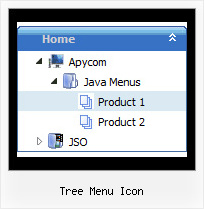
Recent Questions Tree Menu Icon
Q: How do I get the content to refresh when I click on a tabs javascript?
On the following URL how did you get the body content into eachtab?
A: See, for each item you should assign the ID property of the content DIV.
["Style Name","contentName", "", "", "", "", "1", "", "", ],
["-","", "", "", "", "", "0", "", "", ],
["Style Description","contentDescription", "", "", "", "", "", "", "", ],
["-","", "", "", "", "", "0", "", "", ],
["Style Variations","contentVariations", "", "", "", "", "", "", "", ],
["-","", "", "", "", "", "0", "", "", ],
["Empty","", "", "", "", "", "2", "", "", ],
And on your html page you should create DIV's with such ID.
<div id="contentName" style="height: 0%; visibility: hidden;" class="tabPage">
<br><br><br>
<p align=center><img src="img/style01_title.gif" width=140 height=90 alt="Glass Style Tabs"></p>
<br><br><br>
You should paste your content here!!!!!
</div>
Q: Is it correct that in vertical collapse menu you can specify your target as a different frame?
A: Yes, you can specify frame name as the target in Javascript/DHTML Tree:
var titemTarget="frame";Q: How does one go about changing the parameter or the JavaScript so
that a menu selection stays 'on' for the navigation bar script?
In other words, the menu remains selected, perhaps in a background color
that shows the user this menu choice is selected and the user is in the selected menu area.
A: To save your navigation path you should set the following parameter:
var saveNavigationPath = 1;
The menu keeps items highlighted during menu navigation.
0 - disabled, 1 - enabled (default).
You can highlight menu items by default in two ways:
1) Set the pressed item on each page idividually using the following parameter:
var pressedItem = -2;
The toggle mode. Sets an index of an item that will be highlighted by default.
-2 - the toggle mode is disabled;
-1 - the toggle mode is enabled, but no items highlighted by default;
0,1,2,3,... - index of highlighted item in a top-level menu.
- delete var pressedItem=1; parameter from your data file
- set correct parameter on each page before you call data file, for example:
<noscript><a href="http://deluxe-menu.com">Javascript Menu by Deluxe-Menu.com</a></noscript>
<script type="text/javascript"> var dmWorkPath = "menudir/";</script>
<script type="text/javascript" src="menudir/dmenu.js"></script>
<script type="text/javascript"> var pressedItem=2;</script>
...
<script type="text/javascript" src="menudir/data.js"></script>
2) Set the pressed item/subitem using dm_ext_setPressedItem () function.
Please see more info here:
http://deluxe-menu.com/highlighted-items-sample.html
Q: How do you specify different number of sub menu columns for each menu heading in the dhtml menu bar?
When I put var smColumns = 5; it changed it for both my multicolumn headings.
A: You should use Individual Submenu Styles, for example:
var menuStyles = [
["smColumns=3"],// 0 style
["smColumns=2"],// 1 style
];
var menuItems = [
["Home","testlink.html", "", "", "", "", "0", "0", "", "", "", ],
["Product Info","", "", "", "", "", "0", "", "", "", "", ],
["|Features","testlink.html", "", "", "", "", "", "0", "", "", "", ], // 0 style
["|Installation","", "", "", "", "", "", "", "", "", "", ],
["||Description of Files","testlink.html", "", "", "", "", "", "", "", "", "", ],
["||How To Setup","testlink.html", "", "", "", "", "", "", "", "", "", ],
["|Parameters Info","testlink.html", "", "", "", "", "", "", "", "", "", ],
["|Dynamic Functions","testlink.html", "", "", "", "", "", "", "", "", "", ],
["|Supported Browsers","", "", "", "", "", "", "", "", "", "", ],
["||Windows OS","", "", "", "", "", "", "", "", "", "", ],
["||Internet Explorer","", "", "", "", "", "", "", "", "", "", ],
["||Firefox","", "", "", "", "", "", "", "", "", "", ],
["||Mozilla","", "", "", "", "", "", "", "", "", "", ],
["||Netscape","", "", "", "", "", "", "", "", "", "", ],
["||Opera","", "", "", "", "", "", "", "", "", "", ],
["Samples","", "", "", "", "", "0", "", "", "", "", ],
["|Sample 1","testlink.html", "", "", "", "", "", "1", "", "", "", ], // 1 style
["|Sample 2 is Disabled","testlink.html", "", "", "", "_", "", "", "", "", "", ],
["|Sample 3","testlink.html", "", "", "", "", "", "", "", "", "", ],
["|Sample 4","testlink.html", "", "", "", "", "", "", "", "", "", ],
["|Sample 5","testlink.html", "", "", "", "", "", "", "", "", "", ],
["|Sample 6","testlink.html", "", "", "", "", "", "", "", "", "", ],
["|Sample 7","testlink.html", "", "", "", "", "", "", "", "", "", ],
["|Sample 8","testlink.html", "", "", "", "", "", "", "", "", "", ],
["|Sample 9","testlink.html", "", "", "", "", "", "", "", "", "", ],
["Purchase","http://deluxe-menu.com/order-purchase.html", "", "", "", "_blank", "0", "", "", "", "", ],
["Contact Us","testlink.htm", "", "", "", "", "0", "", "", "", "", ],
];