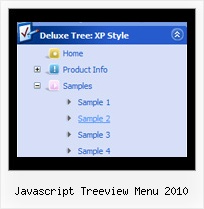
Javascript Treeview Menu 2010 by Deluxe-Tree.com
Javascript Treeview Menu 2010


Buy Now!  Free Trial Download

Menu Screenshots Javascript Treeview Menu 2010

Javascript Treeview Menu 2010 Drag And Drop Tree

Features Javascript Treeview Menu 2010

Compatibility              
  • Full cross-browser compatibility including IE, Netscape, Mozilla, Opera, Firefox, Konqueror and Safari on Windows, Mac OS and Linux
  • Menu can be populated from a database using ASP, PHP, etc.
  • Search engine friendly
  • Support for any doctypes
  • Fits for secure sites
Cost Effective
Tree Layer Transition Effects Javascript Treeview Menu 2010
Professional Look-n-feel
  • Entirely customizable look-n-feel
  • A lot of pre-designed javascript treeview menu 2010 samples
  • Hundreds of visual effects
  • Custom CSS styles can be applied for all menu settings
Seamless Integration
  • Visible over flash, select boxes, iframes, java applets
  • Multiple menus on the same page
  • Amicable to other scripts and css styles
  • Any HTML code can be used inside menu items
Unrivalled Features
  • Scrollable, dragable, floating
  • Unique Java Script API for altering menu "on-the-fly", without page reloading
  • AJAX technology - loads menu data from the server "on-fly and on-demand".
Buy Now!  Free Trial Download

Javascript Tree Menu. Expandable Menu.

  • You can set the size of the menu in pixels, percent or other units. The menu may have an absolute or relative position (it can be inserted into the table).
  • Use any necessary font of any color, size and font decoration. Create any available type, thickness and color of a menu.Choose any color for backgrounds of submenus and items. Use special prefixes for image paths and links to make paths absolute.
  • You can assign your own images for lines.

Recent Questions Javascript Treeview Menu 2010

Q: How do I change the font style for menus to bold, but leave the sub-menus normal in the html navigation bar?
I understandthere’s a “fontStyle” variable, but is there an “itemfontStyle”?

A: You can use Individual Item styles to set specific parameters for eachitem or submenu.

  var fontStyle=["normal 9pt Verdana","normal 9pt Verdana"]; //for subitems

//style for the top items:
  var itemStyles = [
["itemHeight=21px","itemBackColor=#F2F3F2,#1665CB","fontStyle='bold 9pt Verdana','bold 9pt Verdana'"],
];


Q: Is there any way of setting the height of individual items in a vertical menu as I need to have some buttons bigger than others.


A: You can use <br> tags in the item text.

For example:

["Samples<br>Samples","", "", "", "", "", "", "", "", ],


Q: I am trying to get my submenu to be all black along with the main menu item that I am hovering over.
But I cannot do it.


A: Now you have

 ["|About Us","About_Us", , , ,"Tip Text" , , , ,"0"],

it is not right. You should write

 ["|About Us","About_Us", , ,"Tip Text", , ,"0",],


Q: I am setting up a menu with word wrapping "on". Is it possible to have the wording in the middle of the text go to a new line?
If so, how do I do that?


A: Unfortunately, you can't do it.

You can only set the following parameter
  var noWrap=0;
and use <br> tags in the text, for example

["ffffffff<br>fffffffffffff<br>fffffffffff Info","", "default.files/icon1.gif", "default.files/icon1o.gif", , , "0", , , ],