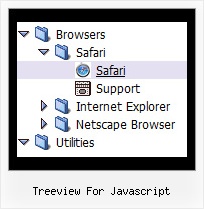
Treeview For Javascript by Deluxe-Tree.com
Treeview For Javascript


Buy Now!  Free Trial Download

Menu Screenshots Treeview For Javascript

Treeview For Javascript Tree Mouseover Cascading Menu

Features Treeview For Javascript

Easy Setup
  • De Luxe Tuner. GUI interface to create your treeview for javascript menus easily and in no time
  • Sensible menu parameters for manual editing
Unrivalled Features
  • Scrollable, dragable, floating
  • Unique Java Script API for altering menu "on-the-fly", without page reloading
  • AJAX technology - loads menu data from the server "on-fly and on-demand".
Ejemplos En Tree Treeview For Javascript
Cost Effective
Compatibility              
  • Full cross-browser compatibility including IE, Netscape, Mozilla, Opera, Firefox, Konqueror and Safari on Windows, Mac OS and Linux
  • Menu can be populated from a database using ASP, PHP, etc.
  • Search engine friendly
  • Support for any doctypes
  • Fits for secure sites
Seamless Integration
  • Visible over flash, select boxes, iframes, java applets
  • Multiple menus on the same page
  • Amicable to other scripts and css styles
  • Any HTML code can be used inside menu items
Buy Now!  Free Trial Download

Javascript Tree Menu. Expandable Menu.

  • You can set the size of the menu in pixels, percent or other units. The menu may have an absolute or relative position (it can be inserted into the table).
  • Use any necessary font of any color, size and font decoration. Create any available type, thickness and color of a menu.Choose any color for backgrounds of submenus and items. Use special prefixes for image paths and links to make paths absolute.
  • You can assign your own images for lines.

Recent Questions Treeview For Javascript

Q: We are an enterprise license holder and have recently purchased JavaScript Tree Menu and are transitioning to it smoothly except for one minor annoyance; the first dhtml div menu item's submenu always has a gap between the browser’s left side as shown below. This happens for Internet Explorer 6, 7 and Firefox 2 and 3.04b.

If I move the menubar to the right about ten pixels, the submenu's left side will line up with the word "Search" as it should. Every other submenu on the dhtml div menu appears directly beneath its menubar item except for the very first one on the left. I’ve tried using a few of the example configurations but they all experience the same behavior.

The installation is in a multi-framed environment.

A: You should change dmenu.js file. Open it in any text editor and find:

space=15;

Change it to:

space=0;


Q: When I add the menu to sites which are using ASP script the font color doesn't change when I roll over the menu, can you please have a look for me and explain whats up.


A: You're using CSS for your web pages.
You have set the font-color for the <TD> tag in an css style sheet file to #ed9c33.

Notice you should use CSS-based menu (CSS mode) if you're using CSSfor your TD tags (and for other objects).


Q: That worked for the rollover drop down menu but I lost my drop shadow on the main menu. The sub-menus still have it. The preview has the drop shadow but when I view it in IE it is not there.

A: You should check the following parameters:

  var shadowLen=3;
  var shadowColor="#B1B1B1";
  var shadowTop=1;


Q: I was trying to work out how to set the target for a link in html tab menu

A: No,unfortunately it is not possible in Deluxe Tabs now.

But you can write your links in the following way:

["Item 1","javascript:window.open('http://www.google.com','_blank','height=600,width=800,status=yes,toolbar=no,
menubar=no,location=no');", "", "", "", "", "", "", "", ],
["Item 2","javascript:window.open('http://www.deluxe-menu.com','_self');", "", "", "", "", "", "", "", ],