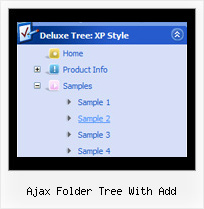
Recent Questions Ajax Folder Tree With Add
Q: If there is a possibility to change the dhtml dropdown menus?
A: You should use API functions.
dtreet_ext_changeItem (menuInd, itemID, itemParams)
More info you can find here:
http://deluxe-tree.com/functions-info.html
Q: Is transparent drop down menu compatable with MS Expression Web?
A: JavaScript Tree Menu wasn't developed as Dreamweaver/Frontpage extension,
BUT you can use it as standard Javascript files. To install the menu into your html page:
1. open the page in Dreamweaver/Frontpage
2. open html source code of the page
3. add several rows of code (<script> tags), For info see:
http://deluxe-menu.com/installation-info.html
That's all.
Q: I use your licensed deluxe menu and I got a customer specific issue:
Is it possible to set no background color for the menus first level and a background color for all submenus?
I couldn't find a parameter to set different variables for main level and sublevels...
Thank you for your feedback
A: You should use Individual Styles for your subitems.
var menuBackColor="";
var itemBackColor=["",""];
var itemStyles = [
["itemBackColor=#81BEC9,#CCE6EA"], //style0
];
["Home","testlink.html", "", "", "", "", "", "", "", ],
["Product Info","", "default.files/icon1.gif", "default.files/icon1o.gif", "", "", "", "", "", ],
["|Features","testlink.html", "default.files/icon2.gif", "default.files/icon2o.gif", "", "", "0", "", "", ], //style
["|Installation","", "default.files/icon2.gif", "default.files/icon2o.gif", "", "", "0", "", "", ],//style0
["||Description of Files","testlink.html", "default.files/icon6.gif", "default.files/icon6o.gif", "", "", "", "", "", ],
["||How To Setup","testlink.html", "default.files/icon6.gif", "default.files/icon6o.gif", "", "", "", "", "", ],
["|Parameters Info","testlink.html", "default.files/icon2.gif", "default.files/icon2o.gif", "", "", "0", "", "", ],//style0
Q: We want the javascript dhtml drop down menu which have sub menu to have a arrow, so that the visitor know that they have to cliek there. We have put in arrow on the tab which are having drop downs, but on mouse over to the single javascript dhtml drop down menu also it is showing the arrow and another problem is that when the drop down is used then there after the arrow is no more visible.
A: You can create Individual XP Style and use it for items with submenus:
var tXPExpandBtn=["left.files/blank-arrow.gif","left.files/blank-arrow.gif", "left.files/blank-arrow.gif","left.files/blank-arrow.gif"];
var tXPStyles = [
["tXPExpandBtn=left.files/menu-arrow.gif,left.files/menu-arrow.gif, left.files/menu-arrow01.gif,left.files/menu-arrow01.gif"],
];
and assign this style for all top items with submenus:
["+Company Profile","", "", "", "", "", "", "0", "0", "", ], //style0
["|Item 25","", "", "", "", "", "", "1", "", "", ],
["|Item 26","", "", "", "", "", "", "1", "", "", ],
["+Projects","", "", "", "", "", "", "0", "0", "", ], //style0
["|Item 27","", "", "", "", "", "", "1", "", "", ],
["|Item 28","", "", "", "", "", "", "1", "", "", ],
["+Services","", "", "", "", "", "", "0", "0", "", ], //style0
Try that.