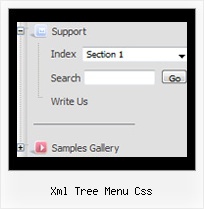
Recent Questions Xml Tree Menu Css
Q: I am setting up a menu with word wrapping "on". Is it possible to have the wording in the middle of the text go to a new line?
If so, how do I do that?
A: Unfortunately, you can't do it.
You can only set the following parameter
var noWrap=0;
and use <br> tags in the text, for example
["ffffffff<br>fffffffffffff<br>fffffffffff Info","", "default.files/icon1.gif", "default.files/icon1o.gif", , , "0", , , ],
Q: How do I get started with JavaScript Tree Menu? Do you have a link with instructions?
I designed my own website with DreamWeaver 8.0 ( www.lesvants.com ) but don't have a clue as to how to start designing with your product.
A: Unfortunately we don't have step by step tutorial now. We'll try tocreate it in the nearest time.
JavaScript Tree Menus weren't developed as Dreamweaver/Frontpage extension,BUT you can use it as standard Javascript files. To install the menuinto your html page:
1. open the page in your program
2. open html source code of the page
3. add several rows of code (<script> tags), For info see:
http://deluxe-tree.com/installation-info.html
That's all.
It is possible that Dreamweaver changes some paths, so you havean error in the preview.
On your site or in your browser there'll be no errors.
Create your menu in Deluxe Tuner application
.You can create any menu as you like in Deluxe Tuner.
Please, try to download trial package once again. We added alltemplates in Deluxe Tuner Templates window.
Unfortunately, Deluxe Tuner doesn't copy all need images forVista Template into your folder. You should do it manually.After you create your menu in Deluxe Tuner you should copy all images youneed for the menu into your folder and correct images paths.You should set the following parameter
var pathPrefix_img="";
2. You should install the menu on your page.
You can click, for example, File/Export to HTML (you can't do it inthe MAC version).
Add several rows into your html page.
<head>
...
<!-- JavaScript Tree Menu -->
<noscript><a href="http://deluxe-menu.com">Javascript Menu by Deluxe-Menu.com</a></noscript>
<script type="text/javascript"> var dmWorkPath="deluxe-menu.files/";</script>
<script type="text/javascript" src="deluxe-menu.files/dmenu.js"></script>
<script type="text/javascript" src="data-deluxe-menu.js"></script> //data-deluxe-menu.js - data file created in Deluxe Tuner.
...
</head>
<body>
...
<table>
<tr><td><script type="text/javascript" src="deluxe-menu.files/data.js"></script></td></tr>
</table>
...
</body>
You should also copy all engine files
dmenu.js
dmenu4.js
dmenu_add.js
dmenu_dyn.js
dmenu_key.js
dmenu_cf.js
dmenu_popup.js
dmenu_ajax.js
into "deluxe-menu.files/" folder. You should place this folder in thesame folder with your index. html page.
Try that.
Q: I never had trouble with your other scripts but Deluxe Tuner is very difficult and I am about to give it up.
I am trying to set up a new navigation bar using vista 3-1. If I add another Vista drop down menu buttons, they have a completely different look to the ones with the templates. It makes no sense.
How do I add items and have it remain the same look?.
A: See, in Vista style templates we use Individual Item Styles for thetop items.
For, example select the first item on the main window.
In the "Item Parameters" window you can see Individual Styles assignedfor this item:
Item Style - Top Item
Submenu Style - Top Menu
When you add the new item you should assign Individual Styles for itin the same way.
That is all.
Q: I don't understand why this isn't working right. I haven't messed with the files in a long time now but someone wrote me an email saying I’ve had incorrect copyright on the javascript dropdown menu for a long time.
A: "Incorrect Copyright" means that the script can't find required copyright parameters.
To avoid this, please, change:
<script type="text/javascript" language="JavaScript1.2" src="dmenu.js"></script>
to:
<!-- JavaScript Tree Menu -->
<noscript><a href="http://deluxe-menu.com">Javascript Menu by Deluxe-Menu.com</a></noscript>
<script type="text/javascript" language="JavaScript1.2" src="dmenu.js"></script>
<!-- (c) 2006, Deluxe-Menu.com, http://deluxe-menu.com -->