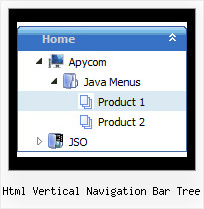
Recent Questions Html Vertical Navigation Bar Tree
Q: I was testing your suite and I like it very much, but I do have problems with IE 7 (last updates) on a winXP Pro machine. The javascript menu sample doesn't show up on the site. Do you know something about this or can you tell me what I have made wrong? I tried the normal export and also the export code for search friendly sites.
Please give me a short hint, what I must change.
Looking forward in hearing from you soon
A: Try to set exact width for the menu.
var menuWidth="400px";
Q: I bought on September 28th the complete pack Deluxe after having tried it for an application which is not a site but which contains HTML pages and drop-down menus which were made with deluxe tree.
I deleted the trial version and installed the definitive version.
I placed the key the var key = "XXXXXXXXX; in each of my menus (three in everything) and I replaced dtree.js, dtree_add.js and dtree_dyn.js by those of the new version in each directory
Now when I relaunching I have an incorrect key which appears in the top of the menus...
Why?
Is these key has a relationship with the name of the site indicated during the order? By reading again the information I indicated the name of my site but it is not for this site that I wished the menu drop down, only for this application which has no precise name...
A: See, you should register the menu for a domain name or for IP address.
In other words, you should register the menu for the domain name thatyou print in a browser's search string, for example:
http://intranet/
http://klinikum-nuernberg/
http://192.168.0.1
http://localhost
But you menu won't work on a local machine, for example
j:\Stationshandbuch\start.html
with Single or Multiple licenses.
If you want to use the menu with an application that doesn't have afixed domain name you should buy Developer License.
With the Developer license you can use the menu on an unlimited number of Internet or Intranet sites and on the local machines.This version of the script doesn't check keys and it isn't bound to a domain name,so it can be used with an application that doesn't have a fixed domain name.
Q: How I can set left align for the arrows in my drop down menu templates?
var arrowImageSub=["arr_1_blk.gif","arr_1_red.gif"];
A: If you want that your arrows will appear on the left side you shouldset:
var dmRTL=0;
parameter.
Q: Hi, I was wondering if there is a way to leave a main navigation item highlighted when in that section. For example if I clicked on "Contact Us" and when I am on the contact us page, the "Contact us" navigation would still be highlighted. I appreciate any help you might have, thanks!
A: The menu has only two states normal and mouseover. We'll try to add the pressed state in the future.
You can set a pressed item using Javascript API:
function dm_ext_setPressedItem (menuInd, submenuInd, itemInd, recursion)
Sets a current pressed item.
menuInd - index of a menu on a page, >= 0.
submenuInd - index of a submenu, >= 0.
itemInd - index of an item, >=0.
recursion = true/false - highlight parent items.
But notice, to use dm_ext_setPressedItem() you should know ID of selected item and subitem.You can't get this ID after you reload your page. That is why you should write your own code on PHP.