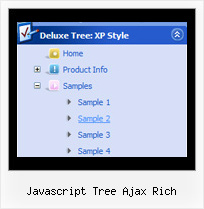
Javascript Tree Ajax Rich by Deluxe-Tree.com
Javascript Tree Ajax Rich


Buy Now!  Free Trial Download

Menu Screenshots Javascript Tree Ajax Rich

Javascript Tree Ajax Rich Javascript Tree Drag N Drop

Features Javascript Tree Ajax Rich

Easy Setup
  • De Luxe Tuner. GUI interface to create your javascript tree ajax rich menus easily and in no time
  • Sensible menu parameters for manual editing
Unrivalled Features
  • Scrollable, dragable, floating
  • Unique Java Script API for altering menu "on-the-fly", without page reloading
  • AJAX technology - loads menu data from the server "on-fly and on-demand".
Tree Text Transparency Javascript Tree Ajax Rich
Cost Effective
Seamless Integration
  • Visible over flash, select boxes, iframes, java applets
  • Multiple menus on the same page
  • Amicable to other scripts and css styles
  • Any HTML code can be used inside menu items
High Performance
  • AJAX menu loading - loads web menu data from the server "on-the-fly".
  • Commonly loads quicker than other html page elements
  • Runs well with an unlimited number of submenus and items
Buy Now!  Free Trial Download

Javascript Tree Menu. Expandable Menu.

  • You can animation and effects for the javascript tree menu. These effects will make your menu more attractive and stylish. When you click on titles of submenus - submenus will collapse or expand. Submenus have a fade effect in Internet Explorer when you collapse/expand them, so your menus look like original menus in Windows XP Explorer. You can set different speed for an animation.

Recent Questions Javascript Tree Ajax Rich

Q: I got the tabs menu to work!

Can you tell me which file(s) I must change to change the content of each tab

Very many thanks for your help.


A: For each tab you can set content <div> (contentName,contentDescription, contentVariations).

  var bmenuItems =
[
["Style Name","contentName",,,,,"1"],
["-",,,,,,"0"],
["Style Description","contentDescription"],
["-",,,,,,"0"],
["Style Variations","contentVariations"],
["-",,,,,,"0"],
["Empty",,,,,,"2"],
];

You can find these divs in the tabs-style-glass.html file. You shouldpaste the content of your tabs in these divs.


Q: I bought today and followed the procedure to download and install the same. It seems, Calender option is not available in the downloaded javascript menu generator package. Do I have download anything separate for that? Would you please let me know as soon as possible.

A: We haven't added Calendar in Deluxe Tuner.You can find it in the installed package:

C:\Program Files\JavaScript Tree Menus\сalendar\


Q: Is there any way to get around the ActiveX control warning every time I load the website from the CD? I think Internet Explorer doesnt like the menu system.

A: You should adjust your browser settings.

Tools/Internet Options/Advanced Options/

and set
"Allow active content from CDs to run on My Computer".

There is no way to enable these preferences automatically, in othercase there are no reasons to create security preferences.


Q: Is it possible to have menu items act like regular hyperlinks?
For instance in Firefox I like to "middle click" hyperlinks to open them in a new tab, or in IE right click and open in new window.
However with Deluxe-Menu this does not seem to work.


A: If you want to open your links in the new window you should set the item target parameter to "_blank", for example:

  var menuItems = [

["Home","testlink.html", , , , "_blank", , , , ],
...

You can include also any html code in the Item Text.

For example:

["<a href='http://deluxe-menu.com/'>Home</a>","", , , , , , , , ],